SDR Radio
A vintage-dial AM/FM receiver driven by the RTL-SDR, with 20 presets, an FM auto-seek scanner, squelch, and a real power toggle.
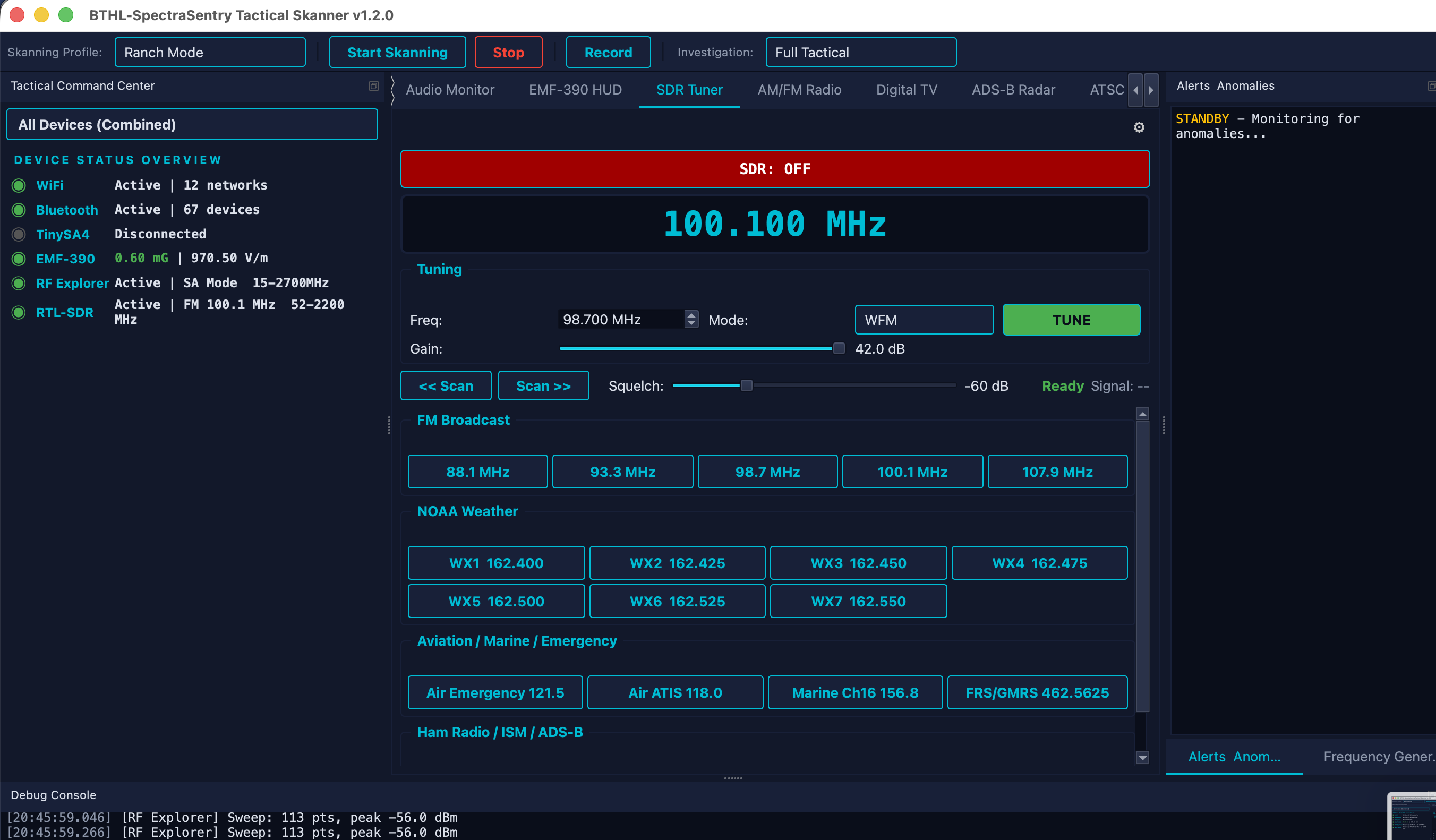
The SDR Radio tab is a software-defined receiver with a Sangean-style tuning dial. It demodulates FM (wide and narrow) and AM from the RTL-SDR’s IQ stream, with 50µs de-emphasis and soft clipping for clean audio. Twenty presets cover NOAA weather, aviation, marine, ham, ISM and ADS-B. A live signal meter reads real IQ power. Streaming never starts on its own — you control it with the power ON/OFF toggle.
Monitoring NOAA weather radio (7 presets) during field investigations.
Listening to aviation, marine, ham, and ISM activity in the area.
Quickly scanning the FM band for active stations with auto-seek.
Confirming a receiver/antenna chain is working with a known broadcast signal.
- Connect the RTL-SDR. Plug in the Nooelec NESDR. The radio claims it when you power on.
- Power ON. Press the power toggle — the SDR begins streaming (it never auto-starts).
- Tune. Spin the dial, type a frequency, or pick a preset bank (NOAA / aviation / marine / ham / ISM).
- Set squelch & mode. Choose WFM/NFM/AM and raise squelch to mute noise between signals.
- Auto-seek. Start the FM scanner to step to the next station above the squelch threshold.
| Demodulation | Wideband FM, Narrowband FM, AM · 50µs de-emphasis · soft clipping |
| Presets | 20 total — 7 NOAA weather, aviation, marine, ham, ISM, ADS-B |
| Tuner | RTL-SDR E4000, 52–2200 MHz (L-band gap ~1100–1250 MHz) |
| Controls | Power ON/OFF · squelch · FM auto-seek scanner · signal meter (real IQ power) |